



Microsoft Jigsaw
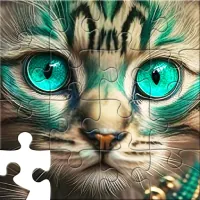
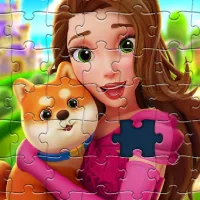
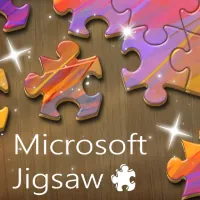
Microsoft Jigsaw takes the familiar box-of-cardboard-pieces hobby and puts it entirely on screen. You pick a photo from a gallery that spans animals, landscapes, flowers, vehicles, and more, then set how many pieces you want to work with before the scattered fragments drop onto your board. There's no glue, no lost pieces under the couch, and no need to clear a table for it. The appeal is in the pacing: it's a game you can pick up for five minutes or settle into for an hour, since finishing one puzzle just means the gallery is waiting with another image and another piece count to try. New pictures get added to the rotation regularly, so returning players usually find something they haven't pieced together yet. It's a quiet, screen-based version of a hobby that's been around for over a century, built for anyone who likes the specific satisfaction of watching a jumbled picture resolve into something clear.
How to play Microsoft Jigsaw
Getting started
- Choose an image from the gallery of available photos.
- Pick a piece count before you start — fewer pieces makes for a quick, easy round, while a higher count turns the same picture into a much longer challenge.
- Click and drag pieces into place on the board. Snap them together once the edges line up.
During the puzzle
- Rotate or reposition pieces as needed and use the tray to keep spares organized while you work.
- The puzzle is complete once every piece is connected and the full image is formed.
Tips and strategy
Sort the border pieces first — straight edges are the easiest to spot in a pile and give you a frame to build inward from. After that, group remaining pieces by color or by a distinct part of the picture (a face, a building, a patch of sky) so you're only searching a small pile instead of the whole board. Working on one section of the image at a time, rather than jumping around, cuts down on the time you spend hunting for a specific shape. If a puzzle feels too easy or too slow, adjust the piece count next time rather than sticking with the same difficulty out of habit.
More games like this

Play our free daily puzzles See all →
Made by us. One a day, the same for everyone, no sign up.


Last updated
Frequently asked questions
How many pieces can a puzzle have?
You choose the piece count yourself before starting, so you can go for a fast, low-piece round or a much bigger, more detailed one using the same image.
Is Microsoft Jigsaw free to play?
Yes, it runs directly in your browser at no cost, with no software or app install needed.
Are there new puzzles added over time?
New images are added to the gallery on an ongoing basis, so there's usually something fresh even if you've played before.
What kinds of images can I expect?
The gallery covers a mix of themes, including animals, landscapes, flowers, and vehicles.
Can I rotate pieces?
Pieces can be repositioned freely on the board as you work; the game keeps unused pieces organized so you can find what you need.
Is there a scoring system?
Your completion counts as a personal best you can try to beat by revisiting the same image and difficulty later.